
If you are setting up any website today SSL certificate (https://) is a must have. July 2018 will be a game changer and you should be prepared for this date.

SSL Certificate
While I work in mobile right today I’m getting questions about this because I spent many years working with web and still I’m trying to be up-to-date with new web technologies and trends. This kind of knowledge is also very useful in mobile because web and mobile are connected and this connection in my opinion is getting closer and closer (see PWA, Instant Apps, Flutter…).
(Let’s get to the point) Let’s say you’ve got website without SSL (HTTP) and you are afraid you’ll get some penalty for not having SSL. Is this true? What will happen in July 2018?
Take a look at Google Security Blog and post from February 2018:
Beginning in July 2018 with the release of Chrome 68, Chrome will mark all HTTP sites as “not secure”.
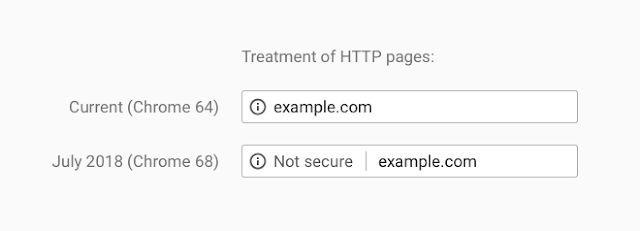
Chrome HTTP Warning Treatment
What is also important, this will be additional factor for Google Search results (SEO). If you want to keep top positions in Google’s search results – keep it in mind.
How to add SSL (HTTPS) to my site?
Let’s just simplify this:
- You can probably buy SSL certificate at your hosting provider.
- You can get free certificate from https://letsencrypt.org/ and install it on your server (ask your hosting provider how to do it and what is important – ask if this is possible. I know that not all hosting providers are allowing to do that – because for example they want to sell you one…).
- Use Cloudflare service for free and move your website to HTTPS in a minute.
I’d like to focus on Cloudflare
Cloudflare provides content delivery network services, DDoS mitigation, Internet security and distributed domain name server services, sitting between the visitor and the Cloudflare user’s hosting provider, acting as a reverse proxy for websites.
It may sound like a sponsored article but it’s not. Cloudflare is really great service that can help you in many ways:
- Stop attacks directed at a website
- Dynamically modify content in order to improve performance
- Insert applications into web pages
- Provide rich analytics on all the requests to your website
- Automatically determine what objects are static and cacheable at the network’s edge without any user configuration
- Provide a network gateway between protocols like
IPv6 <-> IPv4 - Make installing SSL flexible and one-click easy
- And many more things a traditional CDN can’t provide….
How to set up your domain with Cloudflare?
Read this FAQ tutorial to know how to move your domain to Cloudflare. This is starting point for the service. Once you have it – you can try to use and test it’s features. Just start with Free service.
Once your domain is active at Cloudflare, how to turn on SSL? Just go to Crypto tab and enable SSL (Flexible can be good start point, for blog, landing page – you can start using it without a problems).
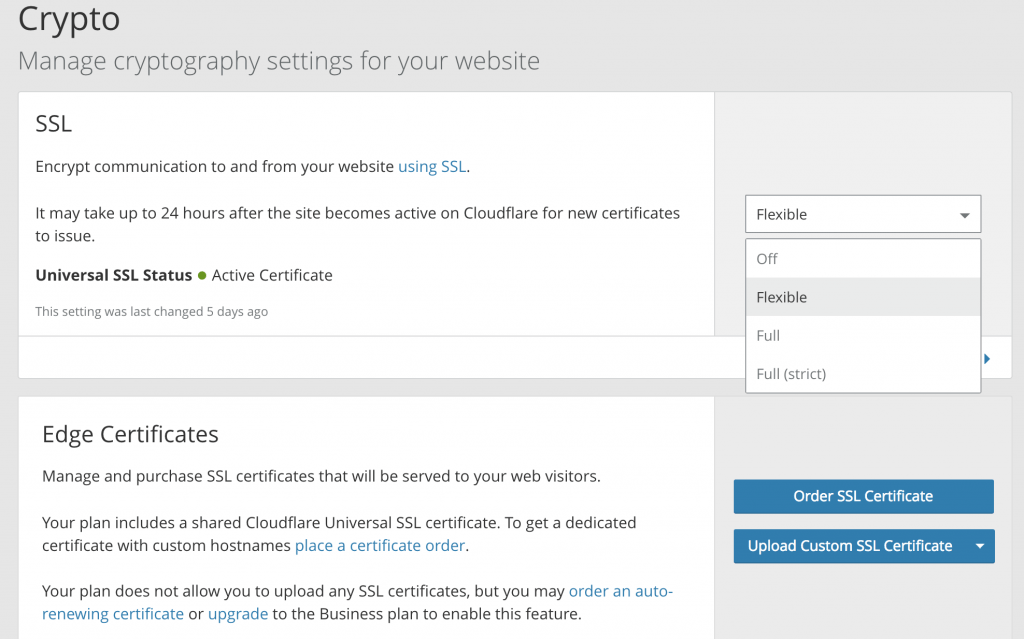
Cloudflare SSL Settings
Is that all?
Just check your website and other option in Crypto. If you have mixed content you want to enable also Automatic HTTPS Rewrites and if you want to make HTTPS your default URL Always use HTTPS.
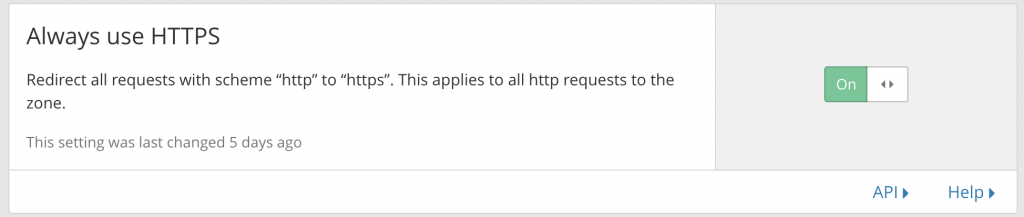
Always use HTTPS
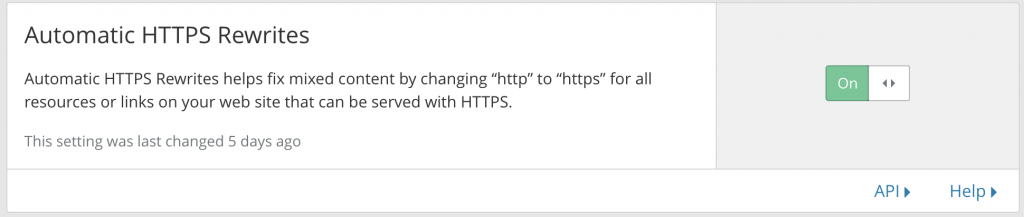
Automatic HTTPS Rewrites
That’s it. Check your website, you should see SSL confirmation.
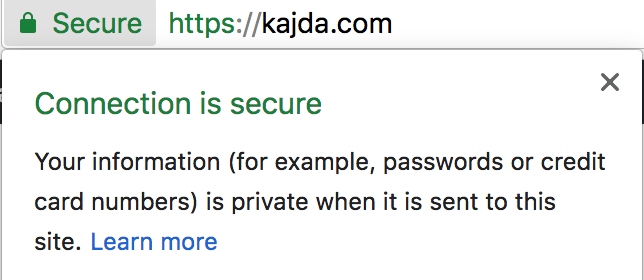
SSL Confirmation Padlock
So it’s just a friendly reminder for July 2018 and make your users more secure.